
CreateWebToday logo
CreateWebToday.com
How it worksPricing
Log inCreate my site for freeCreate free
CreateWebToday logo
CreateWebToday.com

What most people look for

  • Published pagesSee how yours can look→
  • Design stylesHow yours can look→
  • How it worksThree steps, ready today→
  • PricingOne clear plan, everything included→

Learn more

  • Everything includedDomain, hosting, SSL and editor→
  • Who it's forLocal businesses and professionals→
  • CompareVs. an agency or doing it yourself→
  • Why a websiteWhat your business gains by having one→
  • FAQAnswers before you decide→
  • Help centerStep-by-step illustrated guides→

Account

  • Log inAccess your account→
Create my site for free

Build free, no card · From $29/mo when you publish

  1. Home
  2. Help center
  3. Choose your design
TopicsChoose your design
Start here

Before you start

Getting started

Create and publish your site

1Create your page2Choose your design3Choose your domain4Choose your plan5Pay and publish

Editing your site

Your dashboardEdit textChange imagesEdit with AIVersions and publishingChange the designSEOMetricsMy siteMy business

Topics

Start here

Before you start

Getting started

Create and publish your site

1Create your page2Choose your design3Choose your domain4Choose your plan5Pay and publish

Editing your site

Your dashboardEdit textChange imagesEdit with AIVersions and publishingChange the designSEOMetricsMy siteMy business

Can't find what you're looking for?

Write to us and we'll reply during business hours.

Go to support

Choose your design

Choose your design

The 12 proposals, how to compare them, and what to do if none convinces you.

12 proposals, in two rounds of 6

When the wizard finishes, the AI doesn't hand you one design: it hands you 12, all made for your trade and your business. They come split across two tabs, Round 1 and Round 2, with 6 proposals each.
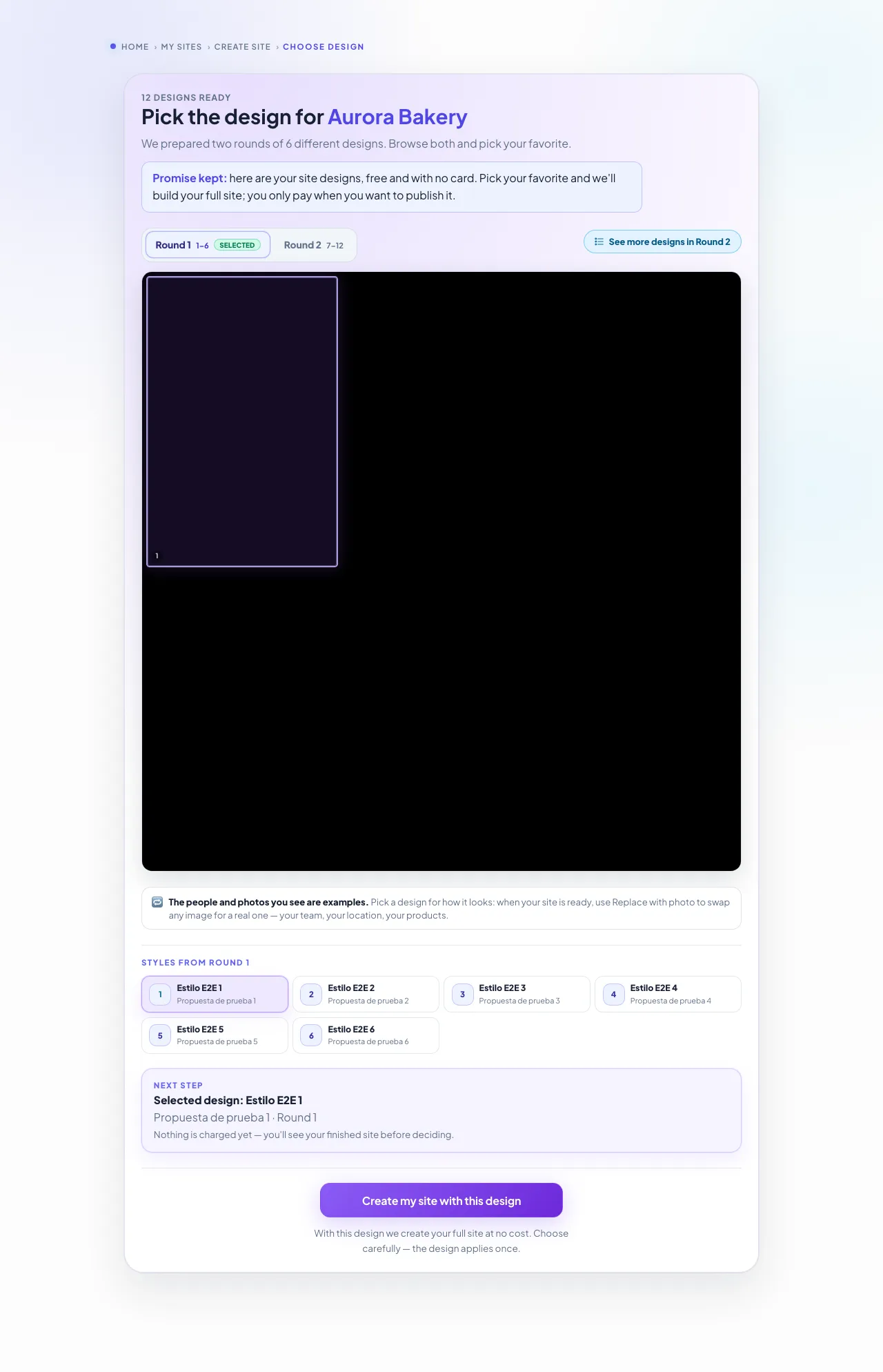
createwebtoday.com/create/designs
Design picker: six proposals on a board, with round tabs123
  1. 1Round tabs: switch between the two to see all 12 proposals.
  2. 2Each tile is a complete design. Click to select it.
  3. 3Button to confirm and build your page with the chosen design.

The people and photos are placeholders

These proposals show faces, dishes or products that aren't yours: they're a sketch so you can judge the style. When your page is built, your real photos and text are used.

How to choose without second-guessing

Don't compare the content, compare the feeling. These four questions usually settle it:

  • Does it look like how you want to be seen? A clinic isn't after the same thing as a taco shop.
  • Is it easy to read? Check the text size and the contrast against the background.
  • Does it flatter your photos? If your photos are your best argument, pick a design with large images.
  • Can you find the contact button quickly? That's what turns a visit into a message.

Once you've chosen, the AI builds your complete page with your details. It takes a few minutes, and you'll see it finished before paying anything.

If none of them convinces you

From your dashboard, in the Design tab, you can keep looking in two ways.

  • Generate 6 new designs. A fresh batch, different from the previous ones. Each batch uses one of the designs included in your plan.
  • Design library. A catalogue of designs that already exist. You pick one and it's adapted to your business with your text and your photos. It counts as a design change, not as a batch.

In both cases, applying a new design rebuilds your page in that style. Your previous version isn't lost: it stays saved and you can go back to it whenever you want.

Changing text and images costs nothing

If you like the design and just want to fix a word or swap a photo, use the visual editor from your dashboard. That doesn't use up any of your plan's credits.

Updated August 2026

Next topicChoose your domain
Webi, the CreateWebToday mascot
CreateWebToday.com

Your professional website, ready today — in a single link.

Product

  • Pricing
  • Create my site for free
  • Log in

Legal

  • Terms and Conditions
  • Privacy Notice
  • Cookie Policy

Support

  • Help center
  • Support
  • FAQ
  • admin@createwebtoday.com

Españolcreatuwebhoy.com

© 2026 CreateWebToday. All rights reserved.

Prices in USD · No hidden fees · Email support in English.